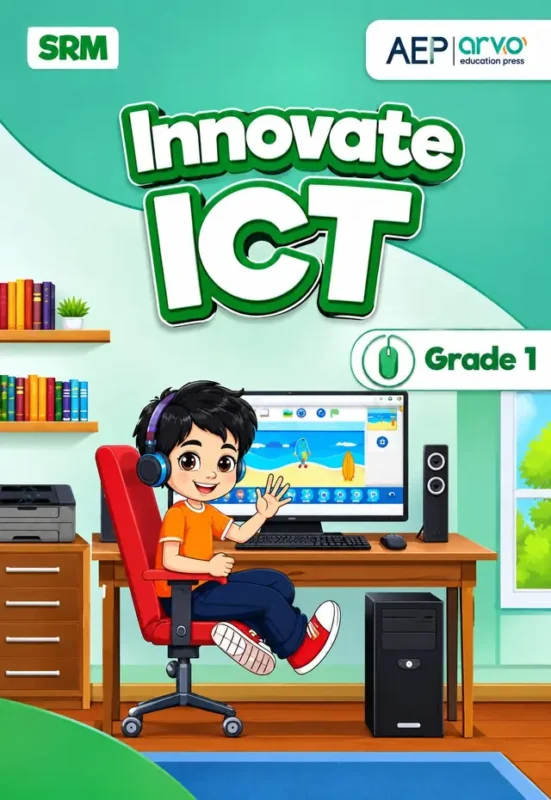
Innovate ICT, Grade 1 is the Class 1 computer book of Allied Schools, published by AEP (arvo education press) and carrying the SRM mark, available to order now for the 2027-28 session. The cover is a friendly teal scene: a boy in headphones and an orange T-shirt sits at a desktop computer, waving, with a ScratchJr-style beach scene on the screen, a printer, a speaker, a computer tower and shelves of books behind him. “Innovate ICT” is in large white letters and a mouse icon sits beside “Grade 1”.
This is a first computer book, so it starts at the very beginning: what a computer is, what its parts do, how to stay safe. Then it moves to the two things children enjoy most: drawing in Paint and building their first program in ScratchJr. The contents page shows six units across 78 pages, plus a glossary. Every topic is short, and every unit ends with something the child can do on screen.
SRM on the cover stands for Supplementary Reading Material. AEP (arvo education press) is the publishing arm of the ARVO school platform, and “ICT” in the title stands for information and communication technology.
Full table of contents: all 6 units, every topic and page range
The contents page is printed in colour over two pages (Units 1 to 3, then Units 4 to 6 and the glossary). Page ranges are as printed.
Unit 01: ICT Fundamentals – Introduction to Computers (pp. 01 to 11)
- Natural and Man-made Things
- Machine
- Computer and its types
- Uses of a Computer
Why it helps: The unit begins with the world the child knows (natural and man-made things), then machines, then computers, so the computer is introduced as one more helpful machine rather than as something mysterious. Learning the different types of computer and what we use them for gives a six-year-old the vocabulary to talk about laptops, desktops and tablets at home.
Unit 02: ICT Fundamentals – A Computer System (pp. 12 to 22)
- Computer System
- Parts of a Computer System
- Types of Keyboard Keys
- Mouse and its Functions
- Microphone / Hands free
- Speaker & Printer
Why it helps: This is the practical heart of the first term. A child learns the names of the parts they will use every day (monitor, keyboard, mouse, speaker, printer), the different kinds of keys, and what the mouse buttons do. Being able to name and use the mouse and keyboard is the skill that makes every later lab lesson easier.
Unit 03: E-safety – Protecting Yourself Online (pp. 23 to 32)
- Real and Digital World
- Basic Safety Rules
- Stay Safe Online
Why it helps: Online safety is taught in Class 1, before the child spends hours online. The unit starts with the difference between the real and the digital world, then gives simple rules a child can remember. Parents can use these pages to set the home rules for screens and passwords from the beginning.
Unit 04: Digital Skills – Paint (pp. 33 to 52)
- Paint and how to open it
- Interface of Paint
- Drawing and coloring Shapes
- Saving a File
- Deleting an Object
- Using Brush Tool
Why it helps: Paint is the ideal first program for a six-year-old because the result is visible at once. With a mouse in hand, children practise control, create shapes and colour them, then learn the habits that matter in every program: how to open it, how to save a file and how to delete a mistake. At about 20 pages, this is the longest part of the book after the programming unit.
Unit 05: Computational and Design Thinking – Tools and Techniques for Solving Problems (pp. 53 to 63)
- Problem Solving
- What is a Problem?
Why it helps: A short unit that gives the child the idea that programming starts with a problem and a plan. Asking “what is the problem?” before pressing any button is the habit of every good computer user, and it makes the ScratchJr unit that follows much easier.
Unit 06: Programming – ScratchJr (pp. 64 to 78)
- Programming Languages
- ScratchJr and its Interface
- ScratchJr Characters, Objects, Backgrounds & Blocks
- First Scratch Project
- Blocks Description
- Types of Blocks
Why it helps: ScratchJr is a block-based tool in which a child snaps coloured blocks together to make a character move, so programming is learnt without typing code. The unit goes in a careful order: what programming languages are, the ScratchJr screen, the characters and backgrounds, then a first project, and finally what each block does and the different types of blocks. By the last page the child has made something move on screen and understands why it moved, which is the heart of coding.
Glossary
A glossary closes the book, collecting the new computer words from the six units in one place. It is useful for revision and for parents checking what a term means.
What your child gains
- The names and jobs of the computer’s parts, and how to use the mouse and keyboard.
- Safe online habits and the confidence to tell a parent when something is wrong.
- Drawing and colouring in Paint, saving files and fixing mistakes.
- First programming, built from blocks in ScratchJr, and the idea of solving a problem step by step.
Who, what, when, where and how
Whom: Class 1 students of Allied Schools (about six years old). What: the printed Class 1 computer book, Innovate ICT Grade 1, six units from page 1 to 78. When: order before the 2027-28 session starts, or in the first weeks of term, before the first computer lab. Where: in the school computer lab, with a tablet or computer at home for Paint and ScratchJr practice if available. How: let the child click, draw and move blocks while you ask “what do you think will happen?” before each step.
Frequently asked questions
Does my child need a computer at home?
It is not essential, because the lessons are made for the school lab. If you do have a computer or tablet, Paint and ScratchJr practice at home helps.
Is ScratchJr different from Scratch?
ScratchJr is the simpler version made for younger children. The contents page uses both names (“ScratchJr” for the tool and “First Scratch Project” for the activity), so check with your child’s teacher which app the lab uses.
What does SRM on the cover mean?
SRM stands for Supplementary Reading Material.
Order Innovate ICT Grade 1 online with Cash on Delivery across Pakistan, or collect it from our Lahore shop. Message us your child’s class and campus on WhatsApp and we will confirm the edition before we dispatch.