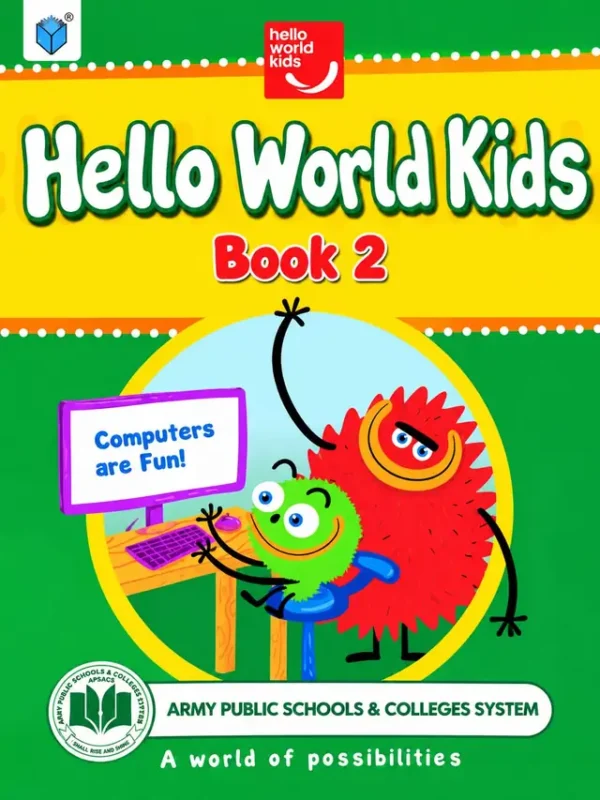
Hello World Kids, Book 2 is the Class 2 computer book of the Army Public Schools & Colleges System. The cover shows a green and red computer character at a desk with a sign that says ‘Computers are Fun!’, the slogan ‘A world of possibilities’ and the website helloworldkids.org. It is the second book of an eight-book series for Class 1 to Class 8, so it builds on the first book’s basics. Available to order now for the 2027-28 session.
Where Book 1 was about meeting the computer and drawing, Book 2 introduces documents: the child learns to type, format and organise words on the screen.
Table of contents: Units 1 to 4
The contents page lists four units with their starting pages. A short welcome note behind it invites children into ‘a world of possibilities’ and encourages them to think, create and innovate.
Unit One: Hello Computers (starts on page 6)
- Unit One: Hello Computers (p. 6)
Why it helps: Unit One recaps the computer basics from last year, which is useful because many children forget over the summer holidays.
Unit Two: Let us Have Fun (starts on page 29)
- Unit Two: Let us Have Fun (p. 29)
Why it helps: Fun activities keep mouse and keyboard skills sharp while the child enjoys the lesson.
Unit Three: Hello Documents (starts on page 54)
- Unit Three: Hello Documents (p. 54)
Why it helps: Documents are the first step toward word processing: typing a sentence, saving a file, and finding it again.
Unit Four: Hello Wonderful Documents (starts on page 81)
- Unit Four: Hello Wonderful Documents (p. 81)
Why it helps: ‘Wonderful documents’ takes the documents unit a step further, so the child makes their own work look neat and attractive.
Computer skills without a computer: ideas for home
Book 2 moves from basic computer use to documents, which is mostly about typing and arranging words. Whether or not you have a computer at home, these activities help:
- Type a sentence: on any phone, tablet or laptop, ask your child to type their name and the name of a family member, then find the capital letters.
- Handwriting first: the same care your child takes in a handwriting copy (a capital at the start, a full stop at the end) carries over to documents.
- Spot the file: show how a document is saved with a name, and ask your child to suggest a clear name for a picture or a story.
- Make a card: a birthday card on paper is a good rehearsal for a decorated document on screen.
- Ask for a demonstration: have your child ‘teach’ you one thing from the book, because explaining is the best revision.
Where Book 2 fits in the series
The Hello World Kids books climb with the class. Book 1 introduces the computer, fun and drawing; Book 2 adds documents; Book 3 follows in Class 3; Books 4 and 5 add spreadsheets and Small Basic programming; and Books 6, 7 and 8 take the subject into secondary school with Scratch, office tools, binary numbers, cyber safety and e-commerce. Starting at Book 2 in Class 2 therefore keeps your child in step with the school.
Who, when and where
Whom: Class 2 students at Army Public Schools. When: in the weekly computer period, and at home to revise. Where: the school computer lab. How: keep the book open beside the keyboard and follow the steps; ask your child to show you what they made.
Frequently asked questions
Is this a coding book?
Not at this level. Coding appears on the covers of the later books (Book 4 onwards) with the line ‘Let’s learn coding!’.
Which class uses Book 2?
Class 2.
How many units does it have?
Four.
You can order Hello World Kids Book 2 online today. We ship across Pakistan on Cash on Delivery, and families in Lahore can also pick it up from our shop. For overseas delivery (Gulf countries), message us on WhatsApp.